IRPF 2026 won't run on Mac?
The App in Quarantine
Is there any feeling more delightful than paying taxes? No, there isn’t. But there is the feeling of finally getting Brazil’s Federal Revenue tax software to run on a Mac — and that’s almost as good.

Well, to my surprise, I downloaded the IRPF2026 software and — despite being built in Java, which theoretically runs on 1 billion devices worldwide, including coffee machines — it refused to run on my Mac. The Federal Revenue Service managed the impossible.
The first surprise hits right after you download the software: you have to manually remove IRPF2026.app from macOS quarantine, because according to the system, it “cannot be opened because it is from an unidentified developer.”
To fix this, open Finder, right-click on IRPF2026.app, and select “Services” then “Unquarantine.”
Still won’t run?
After running the gorgeous IRPF2026 installer, you’ll be blessed with the following message when you try to open the app you just installed:
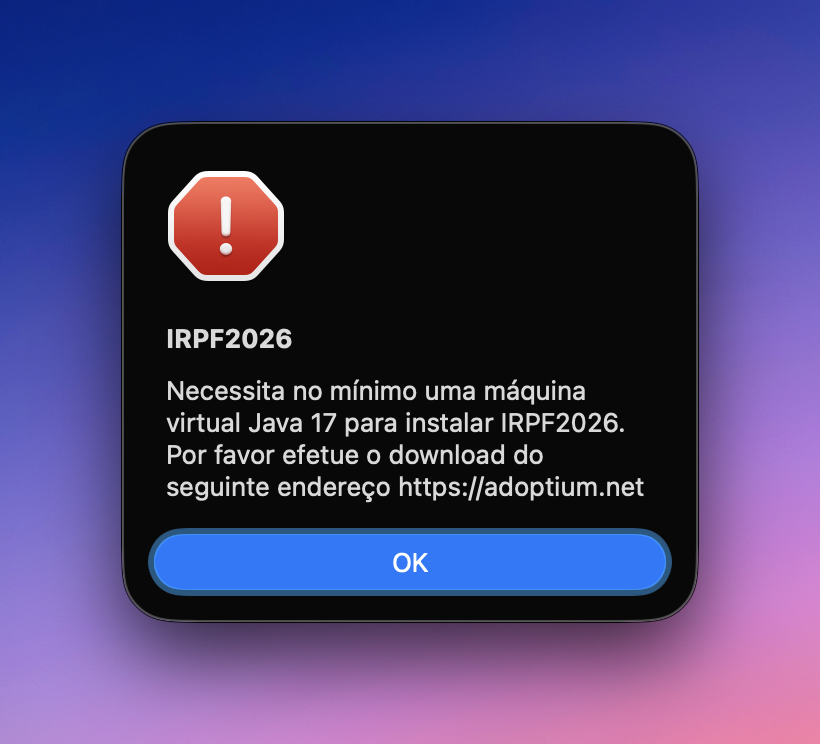
Obviously any non-technical user will immediately understand what:
IRPF2026
Requires at least a Java 17 virtual machine to install IRPF2026. Please download from the following address https://adoptium.net
means, right?
I just want to file my taxes
The quickest fix is to install Java 17 via the terminal. And no, a newer version won’t work — it has to be version 17. The Federal Revenue Service has its principles.
Open Terminal in Applications/Utilities — or use Spotlight to find it.
Now get ready to paste these commands:
1 - Install Homebrew (if you don’t have it yet)
/bin/bash -c "$(curl -fsSL https://raw.githubusercontent.com/Homebrew/install/HEAD/install.sh)"
2 - Install Java 17
brew install --cask temurin17
Even after that, you’ll launch the IRPF app and — guess what?
3 - Forcing it to run
This error likely happens because your macOS has multiple Java versions installed and doesn’t know which one to use. Paste the commands below in the terminal to sort it out once and for all:
cd /Applications/IRPF2026
/usr/libexec/java_home -V
export JAVA_HOME=$(/usr/libexec/java_home -v 17)
"$JAVA_HOME/bin/java" -jar irpf.jar
Done. The Federal Revenue Service thanks you for your effort. You don’t.